Everyday customer conversations.
WEBSOFT CONNECTOR + WAZZUP
03 / 03
Customers and chats.
In your website admin.
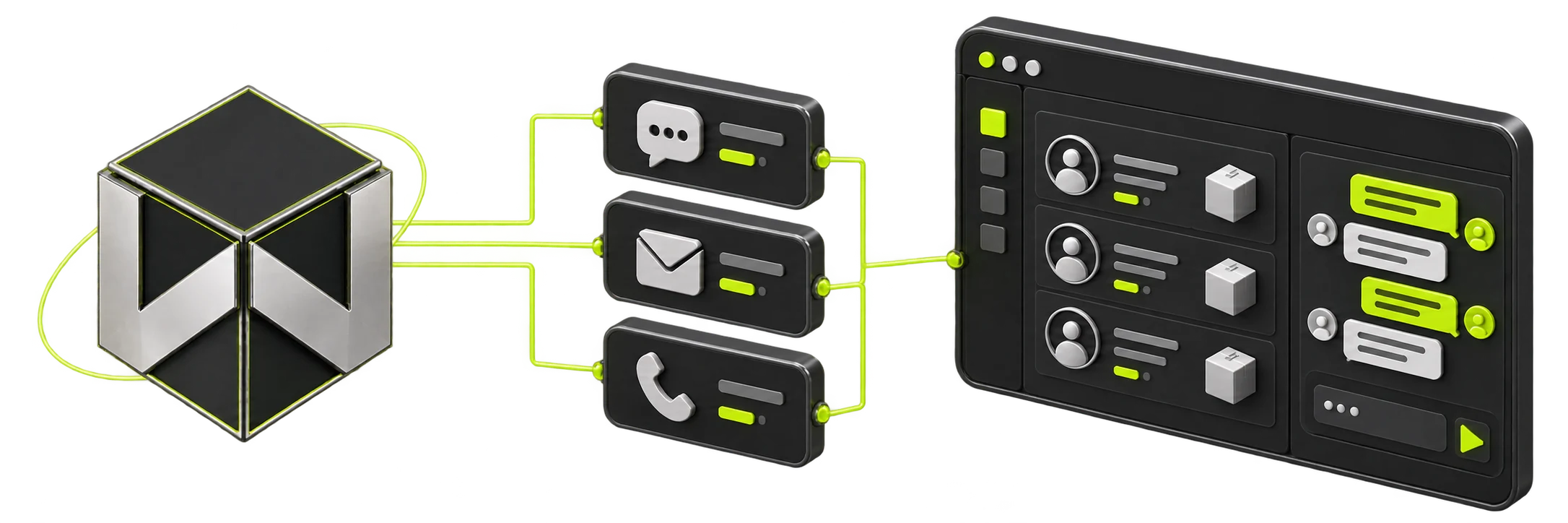
We add a CRM layer directly to your website admin panel using our own Websoft connector and Wazzup. Customer records, orders, messenger chats and team workflows stay inside your website.
Our own Websoft connectorWazzup messaging channelsSupport after launch
01Channels
One team. Every conversation.
Customers message you through their preferred channel. Your team responds from the website admin panel, with customer records and orders connected through the Websoft connector.
WhatsApp Business API
Templates and business messaging through the official API.
Telegram
Personal accounts for sales and support.
Telegram Bot
Requests and notifications through your bot.
Customer conversations from social media.
Viber
Another familiar way to reach your team.
Need VK, Avito, MAX or another channel? We check Wazzup availability and support in our website connector before agreeing the scope.
02The workspace
Your website admin becomes a customer workspace.
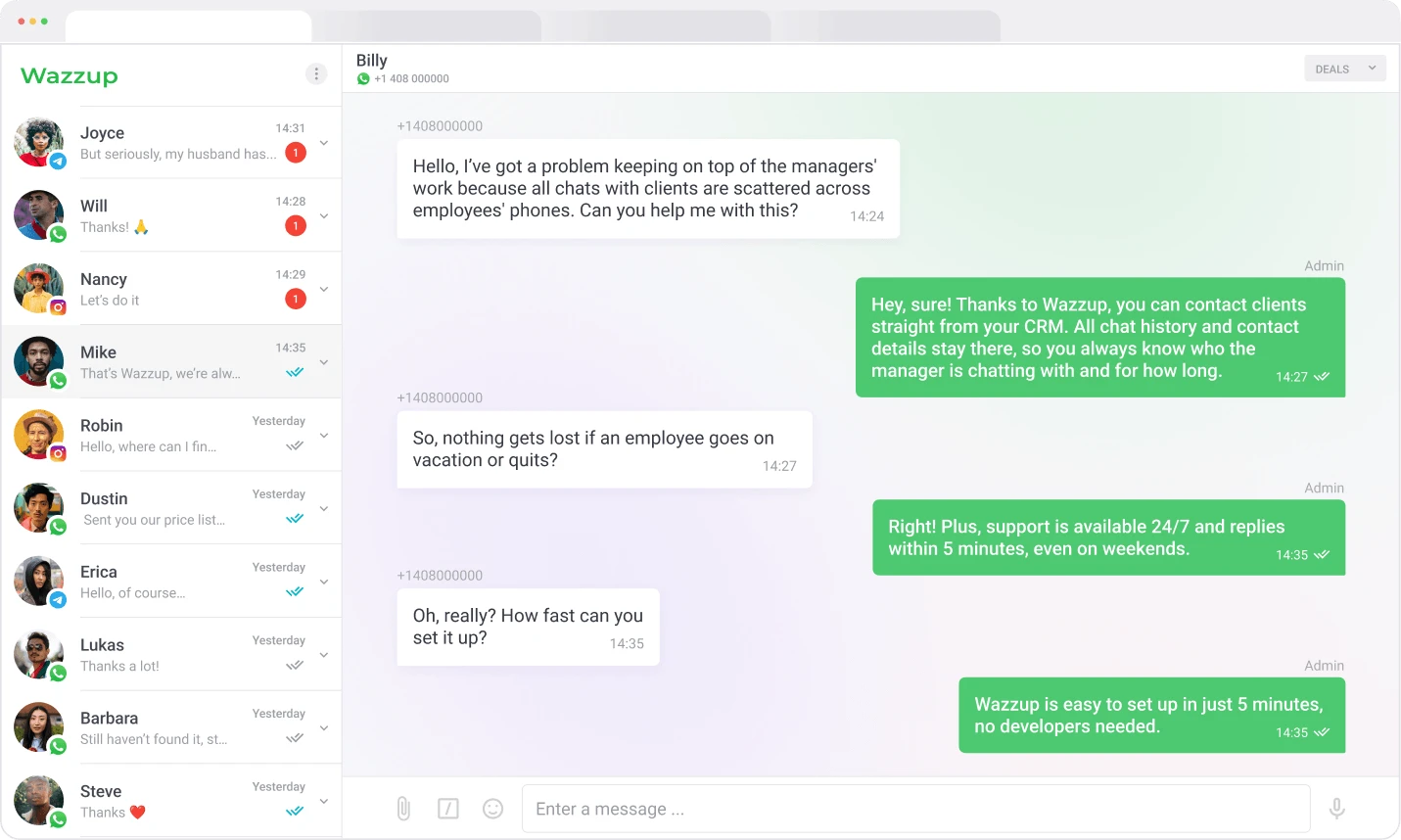
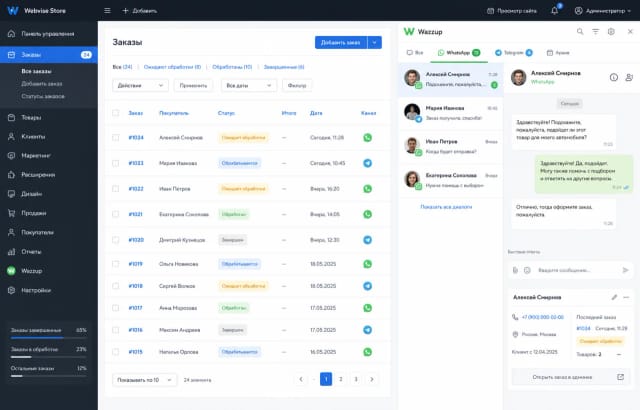
Open a customer record, find the order and continue the conversation in your website admin panel. The Websoft connector brings website data and Wazzup messaging together in this workspace.
- 01A conversation linked to the customer, enquiry or order.
- 02Access rules for managers and team leads.
- 03Files, voice messages and message statuses in the chat.
- 04A shared history when a customer changes manager.
03Choose your starting point
One approach. A connector for your website.
Standard Websoft connector
WordPress / OpenCart
Free setup*- Install our connector in the website admin
- Connect Wazzup channels and team access
- Check the workflow and show the team
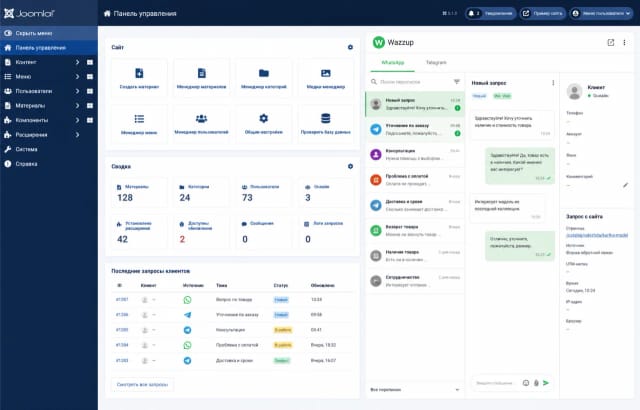
Connector adaptation
Joomla / MODX
After a technical review- Adapt the connector to the website admin
- Link chats to website customers and enquiries
- Configure, test and document the connection
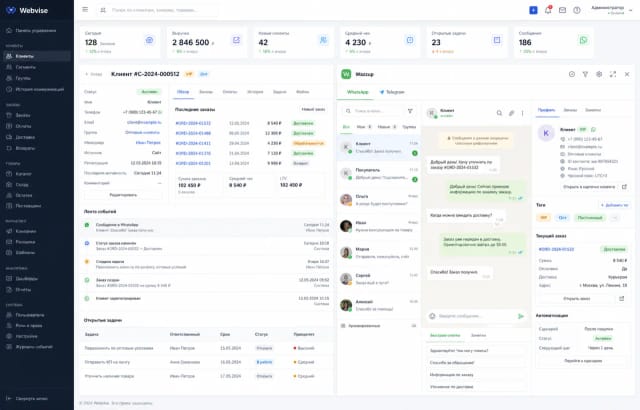
Connector for a custom website
Laravel / Custom
Scoped for your system- Build the connector into your admin panel
- Link Wazzup events to orders and access rules
- Automation and ongoing development
*Free setup applies to a new Wazzup connection through our partner onboarding when our standard website connector is suitable, without individual adaptations. Wazzup subscriptions and channel fees are paid separately. We confirm website compatibility and scope before starting.
04How it works
Your website + Websoft connector + Wazzup.
Your website admin
The workspace for your team: customer records, orders, enquiries and conversations stay where the business already operates.
Websoft connector
Our own software adds the CRM layer to the admin panel, links website data to chats and connects business events through API and webhooks.
Wazzup
The messaging infrastructure behind the connector: channels, message delivery and the embedded chat interface.
05What stays with your business
A CRM layer inside your website admin.
Chats in your admin panel
Our connector embeds Wazzup chats in the website admin panel, alongside the tools your team already uses.
Customer & order context
The connector links conversations to customer records, orders, enquiries and products stored on your website.
API & webhooks
The Websoft connector exchanges messages and events between website data and Wazzup through API and webhooks.
Team control
Roles, access and shared history keep client communication inside the business.
Automation
Templates, notifications and actions triggered by orders, requests, stock or status changes.
Ongoing support
We maintain the connector, diagnose the website–Wazzup connection and develop new workflows inside the admin panel.
How we implement itYour website first.
Your website first.
Then the connector.
- 01
Review the website admin, customer data, orders and messaging workflows.
- 02
Select our standard connector or scope adaptations for your website.
- 03
Install the connector, connect Wazzup and configure permissions and website events.
- 04
Test workflows inside the website admin, train the team and support the connector.
06Questions before you start
Let’s make the details clear.
Where does the team work after setup?
Directly in the website admin panel. We add a CRM layer through our own Websoft connector and Wazzup: customer records, orders and chats are linked inside the website.
What is included in free setup?
If our standard connector fits your website: installation in the admin panel, Wazzup channel connection, basic team setup and onboarding. Individual connector adaptations and new workflows are estimated separately.
Who pays for Wazzup?
The Wazzup subscription and channels are paid separately from installing or adapting the Websoft connector. Wazzup provides messaging infrastructure; our connector links it to the website admin panel.
Can we start a conversation automatically?
Yes. Through the connector, we link Wazzup messages to website events such as order updates, enquiries and stock changes. Available actions depend on channel rules and the chosen Wazzup product.
How do you estimate timing and cost?
Send us your website platform, channels, team size and example workflows. We check whether our standard connector fits or needs adaptation, then agree the scope and estimate before starting.
What happens after launch?
We maintain the Websoft connector and its connection to website data, events and Wazzup. We agree diagnostics, fixes and further development of the CRM layer in your admin panel.
Want communication inside your website?
Let’s connect it.
Tell us your website platform, where customers message you and which workflows you need. We’ll choose the right way to add our connector and the CRM layer to your admin panel.
Discuss integration↗